R2
R2 Configuration
Qarbine uses its AWS S3 driver to interact with Cloudflare R2. R2 is a work-alike to Amazon Web Service’s S3. There are several parameters to obtain from Cloudflare to configure R2 interaction:
- Access key ID,
- Secret access key, and
- Cloudflare endpoint.
Sign on to Cloudflare dashboard at https://www.cloudflare.com/
From the left side bar navigate to R2

From the “{ } API” dropdown choose “Use R2 with APIs”
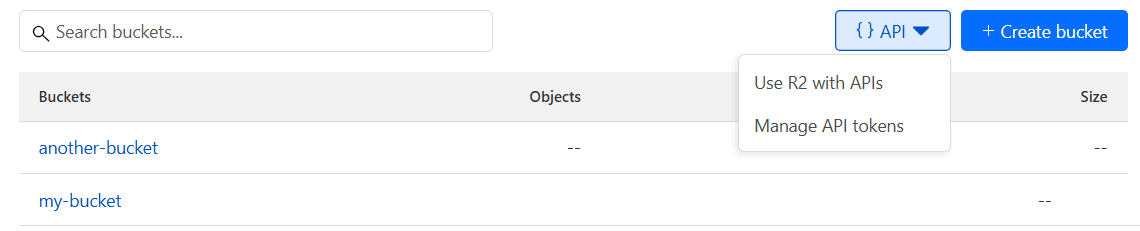
In the dialog choose the dropdown option shown below.

Next click the link highlighted below.

On the resulting page

click

Enter a name

Choose the permission.

Adjust as desired.

Adjust as desired.

Adjust as desired.

Click

Click the highlighted text.

Paste the text into a temporary location for use in configuring the Qarbine Data Service.
Click the highlighted text.

Paste the text into a temporary location for use in configuring the Qarbine Data Service.
Click the highlighted text.

Paste the text into a temporary location for use in configuring the Qarbine Data Service. It will be used as the S3 endpoint within the general purpose “server template” field.
Qarbine Configuration
Compute Node Preparation
Determine which compute node service endpoint you want to run this data access from. That URL will go into the Data Service’s Compute URL field. Its form is “https://domain:port/dispatch”. A sample is shown below.

The port number corresponds to a named service endpoint configured on the given target host. For example, the primary compute node usually is set to have a ‘main’ service. That service’s configuration is defined in the ˜./qarbine.service/config/service.main.json file. Inside that file the following driver entry is required
"drivers" :[
 . . .
"./driver/awsS3Driver.js"
]
The relevant configuration file name for non primary (main) Qarbine compute nodes is service.NAME.json. Remember to have well formed JSON syntax or a startup error is likely to occur. If you end up adding that entry then restart the service via the general command line syntax
pm2 restart <service>
For example,
pm2 restart main
or simply
pm2 restart all
Data Service Definition
Open the Administration Tool.
Navigate to the Data Services tab.

A data service defines on what compute node a query will run by default along with the means to reach to target data. The latter includes which native driver to use along with settings corresponding to that driver. Multiple Data Sources can reference a single Data Service. The details of any one Data Service are thus maintained in one spot and not spread out all over the place in each Data Source. The latter is a maintenance and support nightmare.
To begin adding a data service click

On the right hand side enter a name and optionally a description.
Set the name and any description

Set the Compute URL field based on the identified compute node above. Its form is “https://domain:port/dispatch”. A sample is shown below.
Set the driver

set the driver options
staleResourcesSeconds=60,
preferredSyntax=sql
The staleResourcesSeconds value indicates how long the list of objects can be cached. The preferredSyntax is used by QBE\RBE.
Set the server template to your Cloudflare endpoint. For example,

Set the server options
region=auto,
accessKeyId = "1234567890",
secretAccessKey="abcdefghijklmnop12345678901234567890"
For example,

The data options are optional. Its format is “files=CSV list of files and rules”. Element values can be:
- NoInnerFolders,
- A +.json entry states to always include file names ending with.json,
- A -.json entry states to exclude file names ending with.json, and
- A -file states to exclude this given file or folder relative to the base directory.
You can limit the bucket by setting the generic “Database” field.
Test your settings by clicking on the toolbar image highlighted below.

The result should be
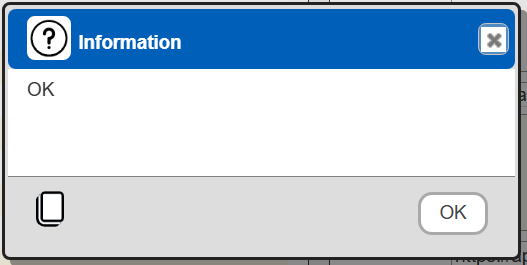
Save the Data Service by clicking on the image highlighted below.

The data service will be known at the next log on time. Next, see the Cloudflare R2 oriented query interaction and any tutorial for information on interacting with R2 from Qarbine.
Reference
For more information in Cloudflare R2’s Amazon Web Services S3 compatibility see
https://developers.cloudflare.com/r2/api/s3/api/